How EZPRESS Gang Sheets Work
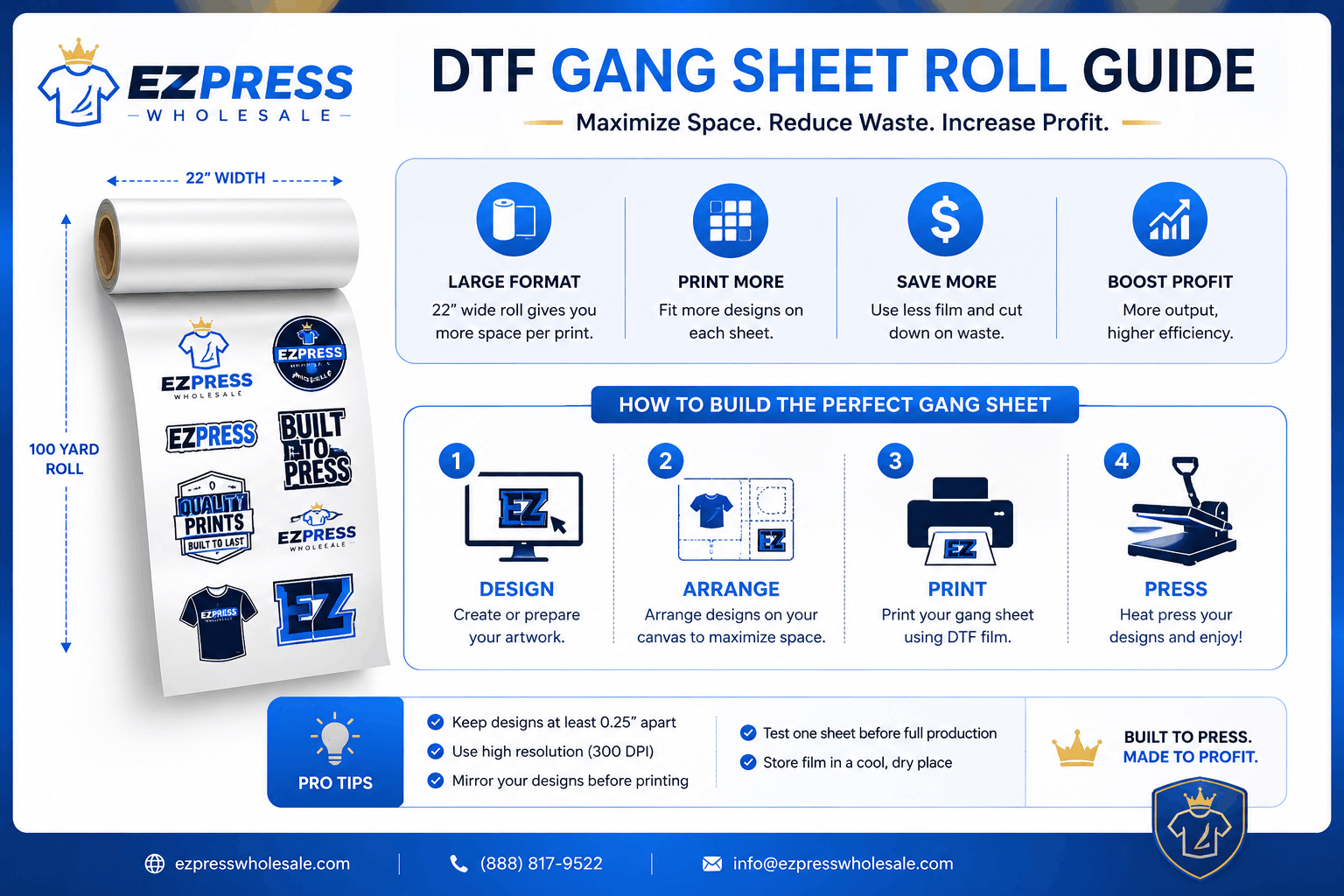
If you’re looking for the fastest way to print multiple designs on a single DTF transfer sheet, EZPRESS Gang Sheets make the process simple.
Whether you’re building a sheet from individual logos and graphics or uploading a finished production-ready layout, our system is designed to help you get print-ready transfers quickly and accurately.
What Is a Gang Sheet?
A gang sheet is a single transfer sheet that contains multiple designs arranged together on one print layout.
Instead of ordering each design separately, you can place multiple logos, graphics, names, labels, and artwork pieces onto a single sheet.
This helps:
- Maximize sheet space
- Reduce waste
- Lower transfer costs
- Organize multiple designs in one order
Two Ways To Order
EZPRESS offers two workflows.
Design Gang Sheet
Use this option when you want to build your layout visually.
Perfect for:
- Multiple logos
- Brand sheets
- School transfers
- Small business orders
- Mixed artwork layouts
- Autofill workflows
With Design Gang Sheet you can:
- Upload artwork
- Drag and arrange designs
- Duplicate artwork
- Auto-fill available space
- Align artwork
- Monitor sheet usage
- Check print quality and DPI
- Review pricing in real time
Ready Gang Sheet
Use this option when you already have a finished production-ready layout.
Perfect for:
- Professional designers
- Print shops
- Repeat production files
- Customers using external design software
Simply upload your completed gang sheet and proceed directly to checkout.
Your original file becomes the production source used for printing.
Step 1 — Choose Your Sheet Size
Start by selecting a sheet size.
Popular sizes include:
- 23″ × 24″
- 23″ × 36″
- 23″ × 48″
- 23″ × 60″
- 23″ × 72″
- 23″ × 96″
- 23″ × 120″
Need something different?
Choose Custom Size and create a sheet that fits your project.
Maximum Sheet Size
- Width: 23″
- Height: 300″
Step 2 — Upload Your Artwork
For Design Gang Sheets, upload artwork directly from your device.
You can also:
- Use saved artwork from your library
- Select artwork from your gallery
- Build layouts using multiple designs
Supported artwork should be high quality for best print results.
Step 3 — Arrange Your Layout
Place artwork anywhere inside the printable area.
Tools include:
- Drag and drop positioning
- Resize
- Duplicate
- Alignment controls
- Auto Fill
- Undo / Redo
As you build your layout, EZPRESS automatically updates:
- Sheet usage
- Effective DPI
- Print quality status
Step 4 — Review Print Quality
Before checkout, review:
- Artwork placement
- Effective DPI
- Printable area
- Sheet usage
Important
Keep artwork at least 0.25 inches inside all sheet edges.
Artwork placed too close to the edge may be trimmed during production.
Step 5 — Select Quantity
Choose the number of gang sheets you want to order.
Pricing updates automatically based on quantity tiers.
The more sheets you order, the lower your per-sheet cost.
Step 6 — Add To Cart
Before checkout, confirm:
- Your artwork is ready for printing
- You own the artwork or have permission to use it
Then simply:
- Add to Cart
- Review your order
- Proceed to Checkout
Step 7 — Production & Shipping
After checkout:
- Your order enters production
- Files are prepared for printing
- Transfers are produced
- Your order is shipped
Most orders ship within 1–2 business days.
Design Gang Sheet vs Ready Gang Sheet
| Feature | Design Gang Sheet | Ready Gang Sheet |
|---|---|---|
| Upload individual artwork | ✓ | — |
| Visual layout builder | ✓ | — |
| Auto Fill tools | ✓ | — |
| Drag and arrange artwork | ✓ | — |
| Upload finished layout | — | ✓ |
| Fastest checkout path | — | ✓ |
| Production-ready file upload | — | ✓ |
Frequently Asked Questions
What file types are supported for Ready Gang Sheets?
Ready Gang Sheet uploads support:
- PNG
- JPG
- JPEG
- WEBP
What is the maximum gang sheet size?
Maximum production size:
- Width: 23″
- Height: 300″
How close can artwork be to the edge?
Keep all artwork at least:
0.25 inches inside every edge
to avoid trimming during production.
Does EZPRESS send a proof before printing?
No.
The Gang Sheet Builder is designed to let customers review and approve their own layouts before checkout.
Please verify artwork placement and sizing before submitting your order.
Can I upload multiple designs?
Yes.
The Design Gang Sheet workflow is specifically built for multiple artwork pieces on a single sheet.
Which workflow should I choose?
Choose:
Design Gang Sheet
If you need to build or arrange your layout.
Ready Gang Sheet
If you already have a finished production-ready gang sheet.
Final Tip
The most successful gang sheet orders use:
- High-resolution artwork
- Transparent PNG files when possible
- Proper spacing between designs
- The 0.25″ safe area guideline
When in doubt, use the Design Gang Sheet workflow and review your layout carefully before checkout.
Ready to get started?
Build your gang sheet today and have your transfers printed and shipped fast.